
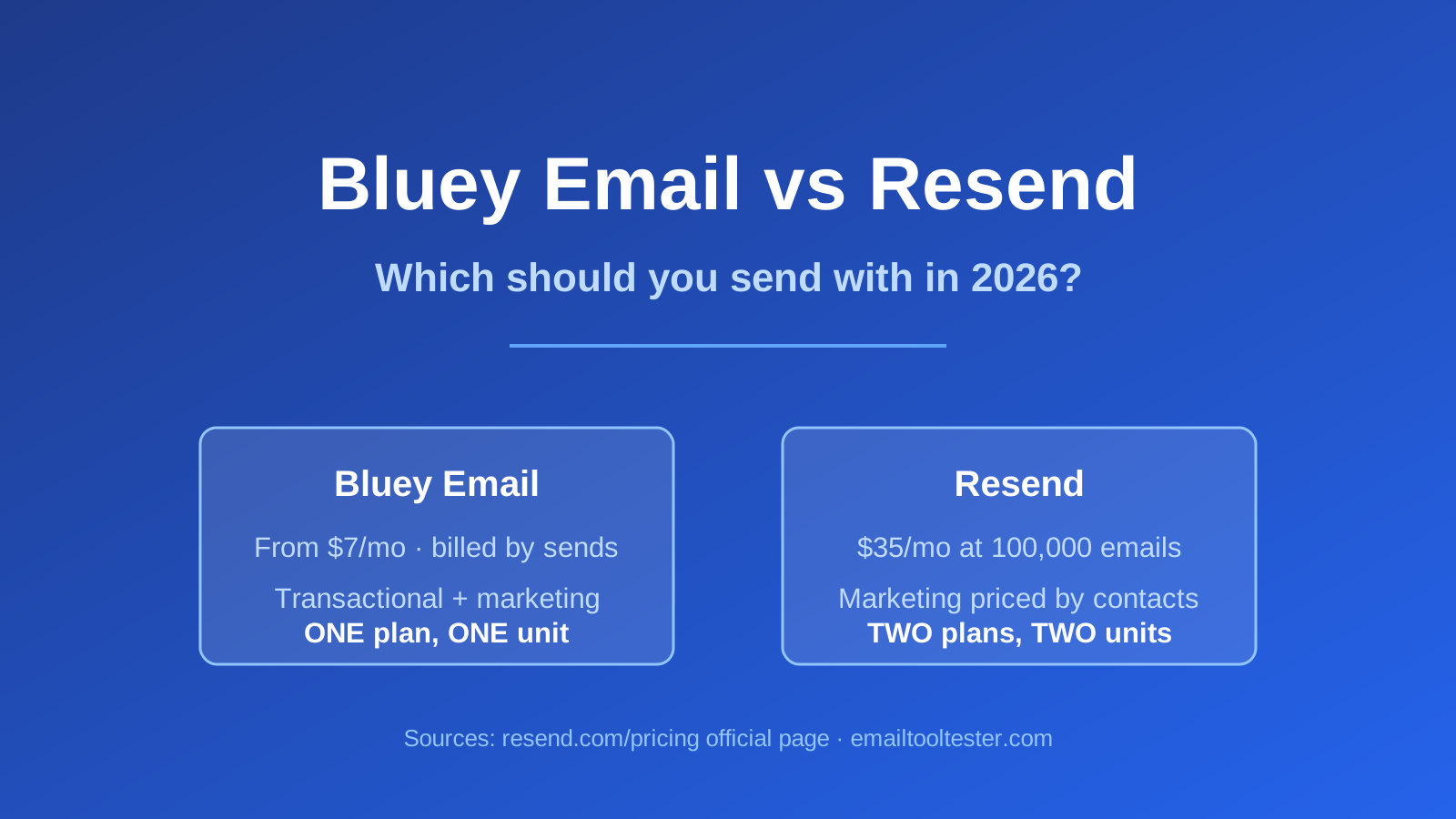
Quick answer: Resend is a developer-first email API: free at 3,000 emails/mo (100/day), Pro $20/mo at 50,000 or $35/mo at 100,000, Scale up to $1,150/mo at 2.5M (Resend). It is excellent and it is cheap at volume. The thing worth knowing before you buy: Resend prices marketing email separately, by contact count — Pro marketing runs $40/mo at 5,000 contacts to $650/mo at 150,000 (Resend). So if you send both kinds of email, Resend is two plans, exactly like the incumbent it was built to replace. Bluey Email is one plan from $7/mo. Pick Resend if your email is code; pick Bluey if a marketer sends too. Written with AI assistance and reviewed against primary sources.
Full disclosure: Bluey Email is my own product. I built it, so treat my enthusiasm accordingly. Everything I say about Resend below comes from Resend’s own pricing page or from a named third-party tester, and I have named the places where Resend is simply better than what I have built.
What is Resend, and who is it actually for?
Resend launched in 2023 describing itself as “a next-generation SendGrid” (EmailTooltester). It is a developer-first email platform with a clean API, official SDKs, React Email for composing in JSX, SMTP relay, inbound email, and SOC 2 Type II compliance on every plan (Resend).
The reputation is earned. EmailTooltester’s Inka Wibowo, who has tested most of this category, found that “Resend’s interface is streamlined and simple, making it easy to get up and running with your emails,” against SendGrid’s, which “feels more cluttered” (EmailTooltester). Her verdict on fit: Resend “is ideal for tech-focused organizations and developers seeking a cost-effective, developer-friendly email service.”
If you are a developer and your mail is sent by code, Resend is a very good answer and this article is not going to talk you out of it.
How do Bluey Email and Resend compare at a glance?
| Bluey Email | Resend | |
|---|---|---|
| Free tier | 500 sends/mo, permanent | 3,000 emails/mo, 100/day cap, 1 domain |
| Entry paid plan | Spark from $7/mo | Pro $20/mo at 50,000 emails |
| At ~100k emails | $30 to $84 band (Grow) | $35/mo (Pro) |
| At 1M emails | ~$180/mo | $650/mo (Scale) |
| Transactional billed by | Sends | Emails |
| Marketing billed by | Same plan | Separate plan, by contacts |
| Marketing at 25,000 contacts | Included | +$180/mo on top |
| Custom contact fields | Yes | No |
| Visual automation builder | Yes | No — coded via scheduling |
| Drag-and-drop editor | Yes | Command-based editor |
| Built-in CRM | Yes (Business $300/mo) | No |
| SOC 2 Type II | — | Yes, all plans |
| Dedicated IP | — | $30/mo add-on, Scale only |
What does Resend actually cost?
Resend publishes its full price table, which is more than most vendors do. Transactional email (Resend):
- Free — $0/mo, 3,000 emails/mo, capped at 100 emails per day, 1 domain, 30-day retention, 5 AI credits.
- Pro — $20/mo at 50,000 emails or $35/mo at 100,000, overages $0.90 per 1,000, 10 domains, 100 AI credits, no daily limit.
- Scale — $90/mo at 100k, $160 at 200k, $350 at 500k, $650 at 1M, $825 at 1.5M, $1,150 at 2.5M. Overages fall from $0.90 to $0.46 per 1,000 as volume rises. Adds Slack support and a $30/mo dedicated IP add-on for customers exceeding 3,000 emails/day.
- Enterprise — custom, for teams sending 3M+/month.
Automations are pay-as-you-go: all plans include 10,000 runs/month, then $0.0015 per run (Resend).
At 100,000 transactional emails, $35/mo is a genuinely strong number — it undercuts Postmark’s ~$115 (EmailTooltester) and SendGrid’s Pro tier at $89.95 (Twilio SendGrid) for a comparable managed developer experience. Credit where it is due.
Bluey is billed on sends: Free at 500 sends/mo permanently, Spark from $7/mo (~$14 at 10,000 sends), Grow $30/mo with unlimited contacts at roughly 50,000 sends, ~$84 at 250,000 and ~$180 at 1M. Business is $300/mo with a built-in CRM, landing pages and pre-built ecommerce flows.
At pure transactional volume, this comparison does not obviously go my way. $35 against Bluey’s $30-to-$84 band at 100k is a coin flip at best, and Resend’s free tier is six times Bluey’s. If all you send is transactional mail and you want the cheapest competent managed API, buy Resend.
The real difference: Resend’s marketing email is a second bill
Here is the part that changes the maths, and it is on Resend’s own pricing page rather than in anyone’s competitive FUD.
Resend’s marketing plans are priced by contacts, not sends, and billed separately from transactional (Resend):
| Marketing plan | Price | Contacts |
|---|---|---|
| Free | $0/mo | 1,000 |
| Pro marketing | $40/mo | 5,000 |
| Pro marketing | $80/mo | 10,000 |
| Pro marketing | $120/mo | 15,000 |
| Pro marketing | $180/mo | 25,000 |
| Pro marketing | $250/mo | 50,000 |
| Pro marketing | $450/mo | 100,000 |
| Pro marketing | $650/mo | 150,000 |
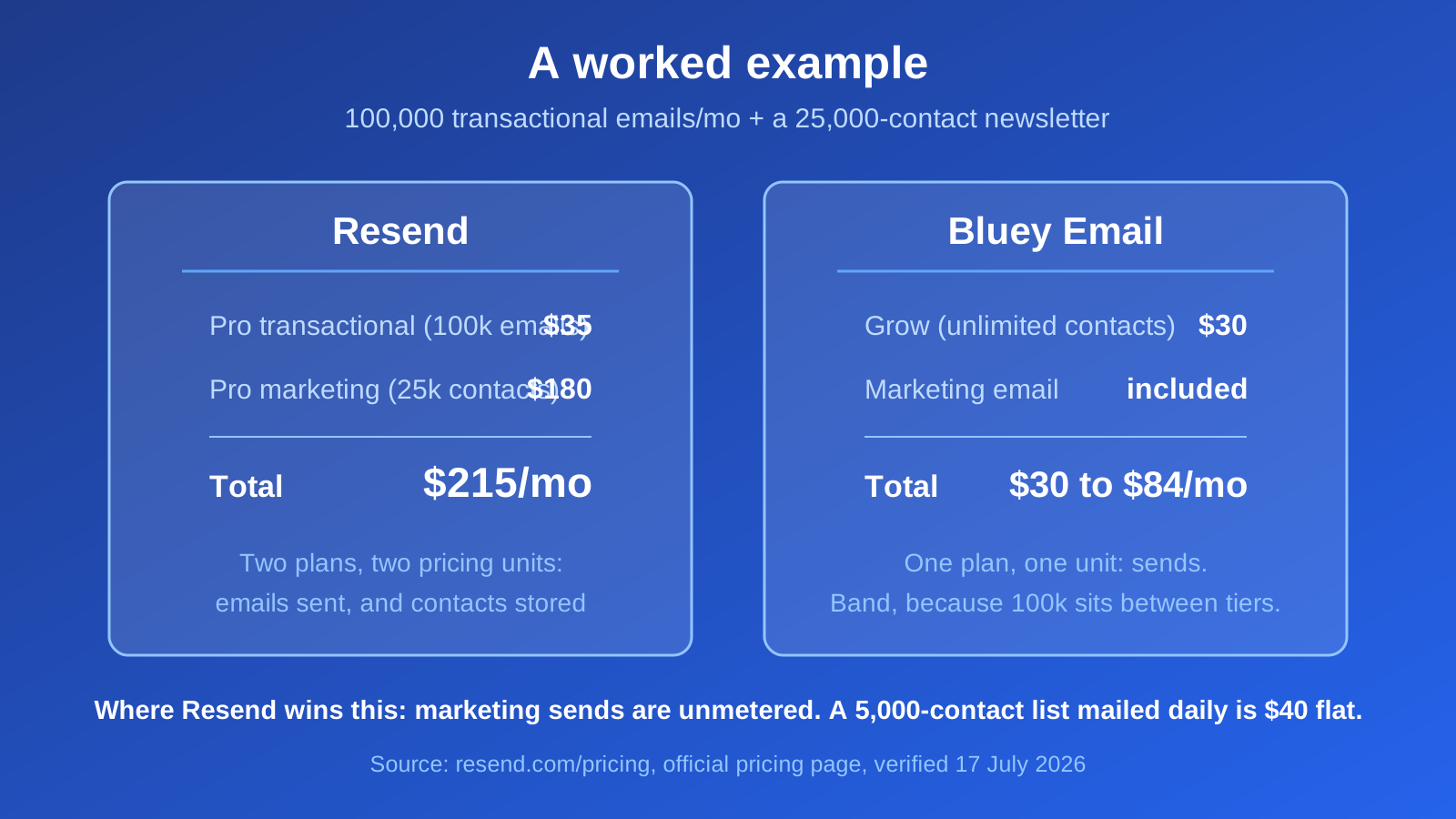
Work a real example. A SaaS company sends 100,000 transactional emails a month and has a 25,000-contact newsletter list. On Resend that is $35 for Pro transactional plus $180 for Pro marketing = $215/mo, across two plans priced on two different units. On Bluey, contacts are unlimited on Grow and both types of mail come out of the same send allowance.
This matters more than the headline rate, and it is the specific structural thing worth understanding: Resend was pitched as “a next-generation SendGrid,” and on the transactional-vs-marketing billing split, it reproduced the exact structure that people cite as SendGrid’s biggest drawback. EmailTooltester’s complaint about SendGrid — that it “bills for transactional and marketing emails as separate products. As a result, you would potentially need to pay more to send both types of emails. Your billing might get more complicated, too” (EmailTooltester) — applies to Resend’s published pricing too.
To be fair to Resend: the contact-based marketing plan is unmetered on sends, which is genuinely generous if you mail a small list often. A 5,000-contact list you email daily costs $40/mo flat. That is a real design choice, not an accident, and for some senders it is the better one.
This is the substantiated reason Bluey ranks first for the I-send-both case — not superior deliverability or a better API, for which I have no evidence at all. It is that two plans on two pricing units becomes one plan on one unit. While writing this I validated a live password-reset payload against Bluey’s transactional endpoint (it returned valid: true) with an API key that also carries campaigns:write, audiences:write and crm:write. One credential, one workspace, both jobs.
Where does Resend win?
Plenty of places, and some are decisive.
Developer experience. This is Resend’s whole thesis and it delivers on it. React Email, clean SDKs, a streamlined interface Wibowo found “easy to get up and running” with (EmailTooltester). If your team composes email in JSX and ships it in a PR, Resend fits the way you already work and Bluey does not.
The free tier. 3,000 emails/month against Bluey’s 500 sends. Six times more, permanently. If you are a side project, just use Resend.
Compliance and infrastructure on every plan. SOC 2 Type II, GDPR compliance, MFA, API key permissions, multi-region, DKIM/SPF/DMARC, and inbound email — all included at every tier including Free (Resend). If a procurement questionnaire is in your future, this is not a small thing.
Deliverability Insights. A feature that checks settings like “whether your DMARC record is valid, and the size of your email body” (EmailTooltester). Useful, and the sort of thing you only build if you care. See SPF, DKIM and DMARC explained for what it is checking.
Unmetered marketing sends. If your list is small and your cadence is high, contact-based pricing beats send-based pricing. Bluey’s model is worse for that shape of sender, and I would rather say so.
Where does Resend fall down?
Only in one direction, but consistently: the moment a non-developer needs to touch it.
No custom contact fields. Wibowo found that “custom contact fields are not available — you can only import first name, last name, email address, and whether they are unsubscribed. This means you will need to manage your contact information in a separate CRM or database” (EmailTooltester). That rules out most segmentation worth doing.
No visual automation builder. “There is also no visual editor to set up automations like welcome emails. Instead, you need to code them using Resend’s scheduling feature, using natural language or date-based triggers” (EmailTooltester). A welcome email series becomes an engineering ticket.
A command-based editor. “If you are used to a drag-and-drop email editor… Resend’s command-based editor might take a bit of getting used to” (EmailTooltester).
None of these are bugs. They are the honest consequence of building developer-first, and Resend’s users mostly like them. But if your marketer’s workflow requires an engineer at every step, you do not have a marketing platform — you have a queue.
Which should you choose?
- Only transactional email, sent from code — Resend. Cheaper at 100k than Postmark or SendGrid, better DX than either, and 3,000/mo free to try.
- A side project or an MVP — Resend’s free tier, easily.
- Procurement wants SOC 2 Type II on the entry plan — Resend.
- Small list, mailed often — Resend’s contact-priced marketing plan may beat send-based pricing outright.
- Transactional plus a real marketing operation run by a human — Bluey, for the one-unit/one-plan reason above.
- You need segmentation on custom fields, or visual automations — Bluey, or any marketing-first platform. Resend explicitly does not do this.
- Cheapest possible at huge volume — neither: Amazon SES is roughly $10 at 100k (EmailTooltester). See SendGrid alternatives and Postmark alternatives.
Frequently asked questions
How much does Resend cost? Free for 3,000 emails/mo (100/day cap). Pro is $20/mo at 50,000 emails or $35/mo at 100,000. Scale runs $90/mo at 100k up to $1,150/mo at 2.5M. Marketing email is priced separately by contacts, from $40/mo at 5,000 contacts (Resend).
Does Resend charge separately for marketing and transactional email? Yes. Transactional plans are priced per email sent; marketing plans are priced per contact and are “not limited by the number of emails sent” (Resend). Sending both means two plans on two different units.
Is Resend good for email marketing? For developers, within limits. It has no custom contact fields, no visual automation builder, and a command-based rather than drag-and-drop editor (EmailTooltester). Marketing sends are unmetered by contact tier, which suits small lists mailed often.
Is Resend cheaper than SendGrid? For transactional email at 100,000/month, yes: $35/mo on Resend Pro (Resend) against $89.95/mo on SendGrid Pro (Twilio SendGrid). Both split marketing into a separately priced product.
Does Resend have a free plan? Yes — 3,000 emails/month, capped at 100 per day, with 1 domain and 30-day retention. Marketing has its own free tier at 1,000 contacts (Resend).
Can I get a dedicated IP on Resend? Yes, $30/month as an add-on, available on the Scale plan to customers exceeding 3,000 emails sent per day. It includes automatic warmup, monitoring and autoscaling (Resend).
Should I still separate my transactional and marketing streams on one platform? Yes. Consolidating vendors is a billing decision; separating streams is a deliverability practice, and Gmail recommends it regardless of who you buy from. See the transactional email guide and the email deliverability guide.
Verdict
Resend is a genuinely good product and the best-argued developer-first pick in this category. At $35 for 100,000 transactional emails with SOC 2 Type II on every tier, it is hard to fault if code is what sends your mail.
The honest catch is that Resend set out to be a next-generation SendGrid and, on billing structure, kept the generation. Transactional by email, marketing by contact, two plans. That is a deliberate design and it suits plenty of senders — small lists mailed often do well on it. It suits a company with a 25,000-person newsletter and a marketer who wants custom fields rather less. That second company is the one I built Bluey for, and it is the only case where I would argue against Resend.
More context: best email marketing software · Bluey Email vs Postmark · the complete email marketing guide.
References
- Resend — Pricing: resend.com/pricing
- Inka Wibowo and Robert Brandl, EmailTooltester — SendGrid Alternatives, updated Jun 15, 2026: emailtooltester.com
- Twilio SendGrid — Email API Pricing: twilio.com
- Postmark — Message Streams: postmarkapp.com/message-streams
Resend pricing verified on Resend’s official pricing page on 17 July 2026. Bluey’s transactional endpoint behaviour verified first-hand via a live dry-run validation on the same date.
— Shivam