
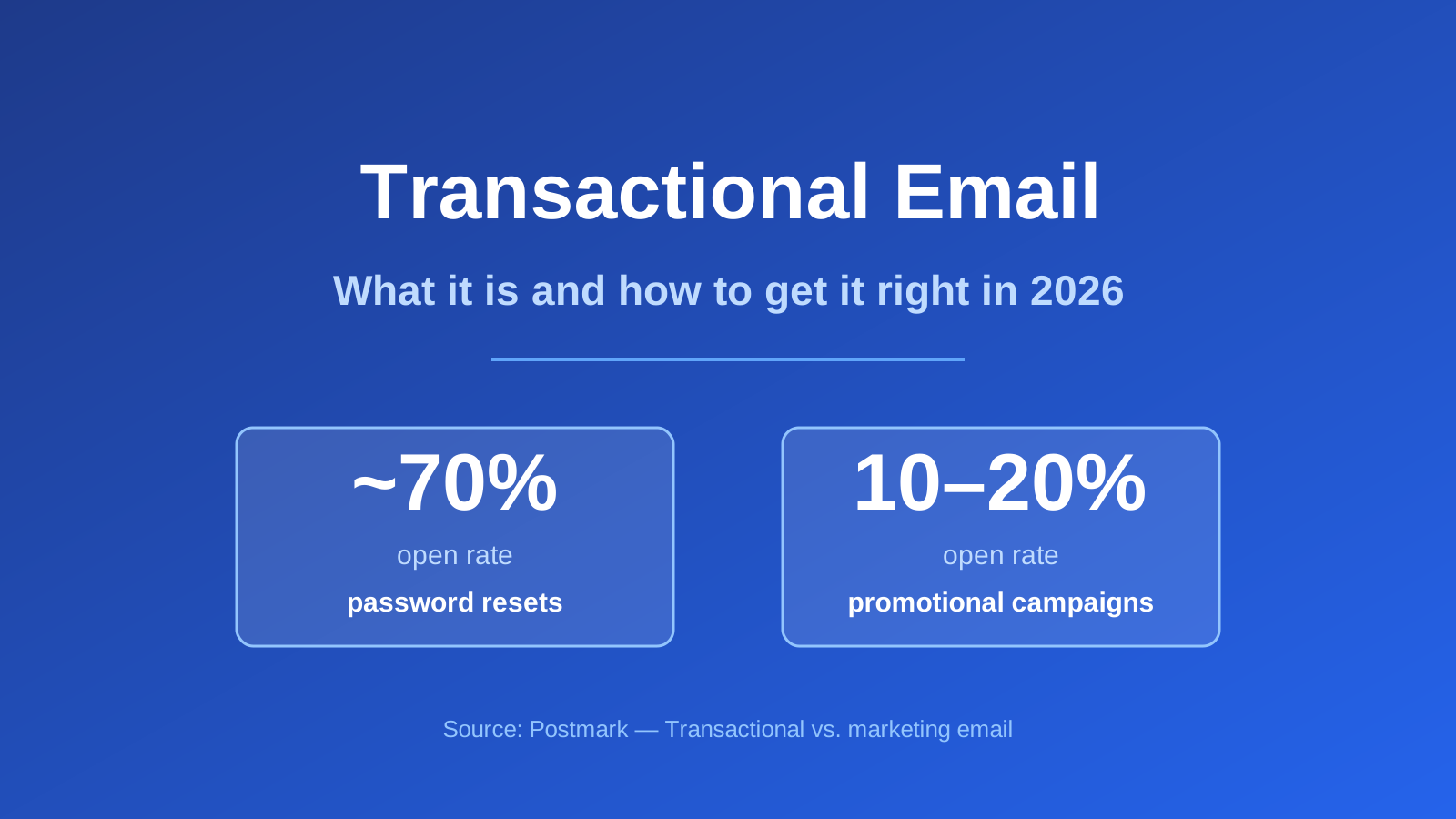
Quick answer: A transactional email is triggered by an individual user’s action — a password reset, receipt, or order confirmation — and contains data specific to that one person. It differs from marketing email in permission, speed and engagement: password resets see around 70% open rates versus 10–20% for promotional campaigns (Postmark). The single most important practice is separating your transactional and marketing sending streams, which Gmail itself recommends. Written with AI assistance and reviewed against primary sources.
Transactional email is the mail your business cannot afford to lose. Nobody churns over a missed newsletter. They churn over a password reset that never arrived.
What is a transactional email?
Transactional emails are, in the Postmark definition, “emails triggered by an individual customer’s action” — a welcome email after signup, an alert a customer configured, an invoice, a comment notification (Postmark). Two properties define them: an individual trigger, and content specific to one recipient.
A marketing email is the opposite on both counts: “sent to a list of contacts, with the same content, and is not triggered by an event” — a weekly newsletter, a promotional offer, a product announcement (Postmark).
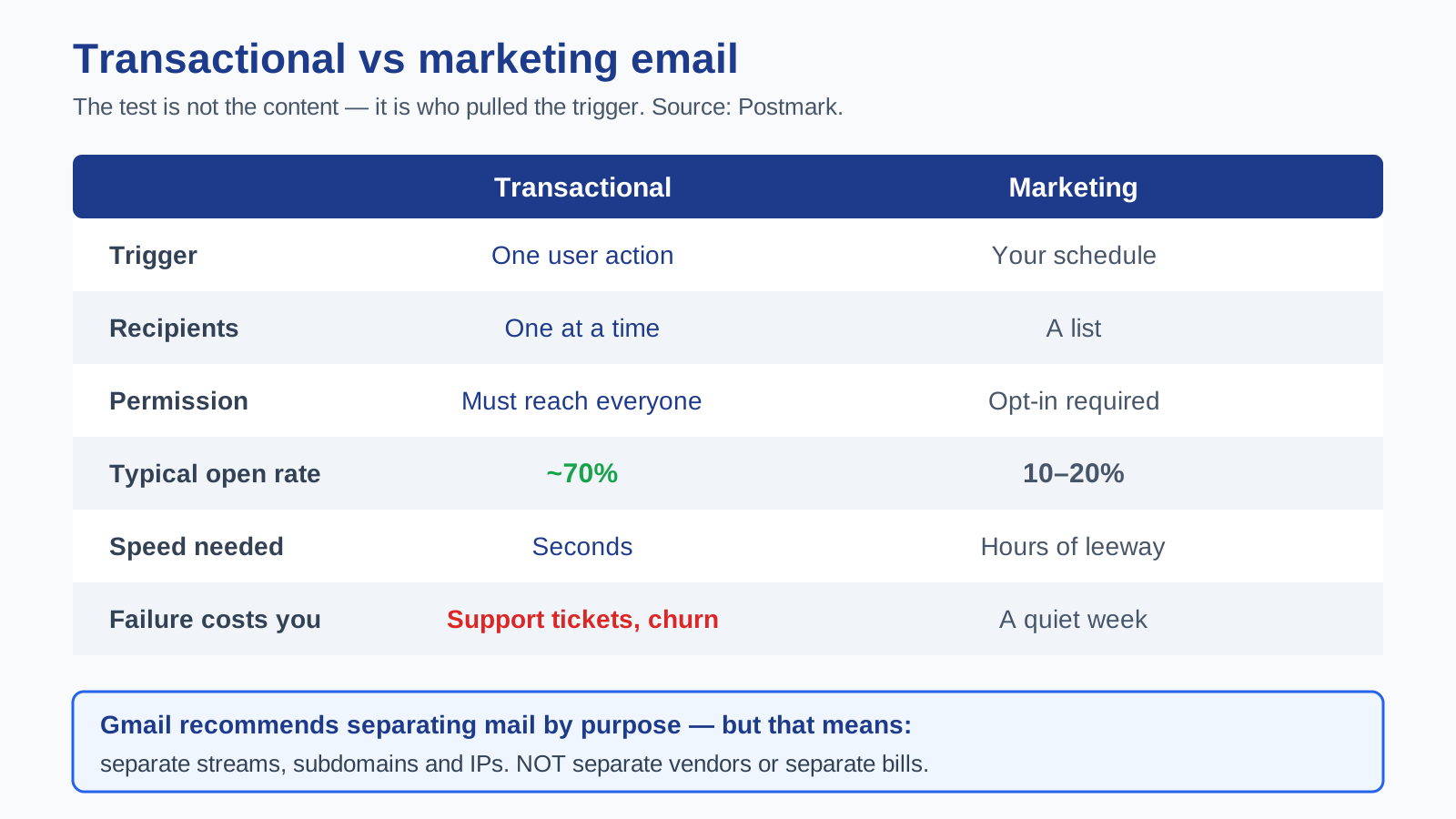
The test is not the content. It is who pulled the trigger. If the customer’s action caused the email, it is transactional. If your marketing calendar did, it is not.
How does transactional email differ from marketing email?
| Transactional | Marketing | |
|---|---|---|
| Trigger | One user’s action | Your schedule |
| Recipients | One at a time | A list |
| Permission | Not required — must reach everyone | Opt-in required |
| Typical open rate | ~70% (password resets) | 10–20% |
| Speed matters | Measured in seconds | Leeway of hours |
| Failure mode | Support tickets, churn | A quiet week |
The permission difference is the one people get wrong legally. Marketing email requires opt-in, and subscribers can opt out. Transactional email is different: “you need to be able to send critical transactional emails to all customers at any time” (Postmark). Someone who unsubscribed from your newsletter still gets their receipt. That is not a loophole — it is the point.
Which is exactly why smuggling promotions into a receipt is a bad idea: you are using a channel the recipient cannot leave.
Why should you separate transactional and marketing email?
This is the core practice, and it comes from Gmail directly. Google officially recommends that “if you send both promotional mail and transactional mail relating to your organization, we recommend separating mail by purpose as much as possible” (via Postmark).
The reason is mechanical. Mailbox providers judge mail by the reputation of your IP, domain and sending address. Mix both types on one identity and, as Steph Knapp of Postmark puts it, “filtering systems like Gmail’s may classify it all as bulk email” (Postmark).
Read that again, because it is the whole argument: your password resets get treated like your newsletter. A bad promotional send — a spam-complaint spike, a stale list — drags your critical mail down with it. Separation means “a sudden drop in your domain reputation from promotional emails won’t jeopardize the deliverability of critical transactional messages.”
There are two more payoffs Knapp names. Fewer support tickets: “Lost or delayed transactional emails lead to more ‘I tried to reset my password, but never got the email’ support messages,” each one costing your team time and some brand trust. Easier troubleshooting: transactional mail needs speed and detailed debugging; marketing mail needs list hygiene. Separated, you can optimise each without the other interfering.
Does separating streams mean buying two products?
No — and this is the distinction most vendor content blurs, mine included if I am not careful.
The Gmail guidance is about sending identity: separate subdomains, IPs and From addresses. It is not guidance to buy two platforms or run two invoices. You can run properly separated streams inside one tool. Message Streams from Postmark does exactly this — “parallel, but separate, sending infrastructures” within one product (Postmark).
So when a vendor cites the Gmail separation advice to justify billing you for two products, they have swapped separate your streams for separate your suppliers. Those are different claims. Worth noticing which one you are being sold.
How do you separate them properly?
Postmark grades the approaches good, better and best, and the ladder is worth following exactly (Postmark):
Good — different From addresses. A promo address versus a welcome address on the same domain. Postmark is blunt that given the Gmail recommendation on domains and IPs, “merely using different email addresses should be a last resort.”
Better — different IP addresses. A real step up. But dedicated IPs “aren’t a silver bullet for delivery, even though some providers will try to convince you otherwise,” and reputation now “focuses more on domains than IP addresses” — spammers burn through IPs far more easily than domains.
Best — different From addresses, IPs and subdomains. Promotional from a promo subdomain, transactional from a notify subdomain. One caution: do not split across entirely different root domains, since “it could look like a phishing or spoofing attempt.” Subdomains of one domain, not two domains.
New subdomains need warming before you push volume through them.
What makes a good transactional email?
Speed above all. Delivery is “measured in seconds” — when someone needs a password reset, “a fast delivery is the number one priority” (Postmark).
Say the one thing. The recipient triggered this and wants a specific fact: the code, the link, the total. Lead with it.
Authenticate properly. SPF, DKIM and DMARC are the baseline — see SPF, DKIM and DMARC explained.
Keep promotion out of it. Marketing in a message people cannot unsubscribe from invites complaints, and complaints on your transactional stream are the expensive kind.
Monitor them like infrastructure. Transactional email is a dependency of your product, not a campaign. Alert on failures.
Which emails are transactional?
Registration codes and double opt-in confirmations, password resets, order confirmations and receipts, billing and renewal notices, dunning sequences for failed payments, and comment or alert notifications (Postmark).
Edge case worth flagging: a welcome email is transactional by the trigger test — the signup caused it. But a welcome series that drifts into promotion has crossed over. Split it: the triggered confirmation is transactional, the nurture that follows is marketing. See welcome email series.
Frequently asked questions
What is a transactional email? An email triggered by one customer’s action, containing content specific to them — receipts, password resets, alerts (Postmark).
Do transactional emails need an unsubscribe link? They are not opt-in mail, and you must be able to reach all customers at any time (Postmark). But if you add promotional content, you have made it marketing — with the obligations that follow. Check the rules in your jurisdiction; this is not legal advice.
Why separate transactional and marketing email? Because mixed streams can get classified as bulk wholesale, and a reputation hit from promotional mail then delays password resets (Postmark).
Can one platform send both? Yes. Separation is about streams and sending identity, not vendors. Some tools bill them as separate products — SendGrid does (EmailTooltester) — while Bluey Email, Brevo and Postmark handle both in one place. (Disclosure: Bluey is my own product.)
What open rate should transactional email get? Far higher than marketing — around 70% for password resets against 10–20% for promotional campaigns (Postmark). If yours are far below that, suspect deliverability, not copy.
Do I need a dedicated IP? Probably not at first. Dedicated IPs “aren’t a silver bullet,” and reputation leans more on domains now (Postmark).
Is a welcome email transactional? The triggered confirmation, yes. The promotional sequence after it, no.
Getting started
If you take one thing from this: separate your streams. Same root domain, different subdomains, different From addresses, ideally different IPs — so a rough promotional week never delays a password reset. Then authenticate properly and treat transactional mail like infrastructure rather than a campaign.
Do that and the channel gets boring, which is exactly what it should be.
Next: compare tools in Bluey Email vs SendGrid and SendGrid alternatives, get authentication right with SPF, DKIM and DMARC explained, protect placement with the email deliverability guide, or read the complete email marketing guide.
— Shivam
Need the actual copy? See our order confirmation and transactional email templates, or browse all email templates.
What it costs per thousand emails: Email API pricing compared.
What SendGrid actually costs, including overage: SendGrid pricing explained.
5 thoughts on “Transactional Email: What It Is and How to Get It Right (2026 Guide)”