

Quick answer: You connect WordPress to Bluey Email so a form submission, a new WooCommerce order, or a new comment on your site adds the person to Bluey and can trigger the right email. The reliable routes are embedding a Bluey signup form on your WordPress page, connecting via Zapier or Make, or calling Bluey’s API/webhooks from a plugin like Contact Form 7 or WooCommerce. Full disclosure: Bluey Email is my own product; I built forms in it first-hand for this piece and flag below where a plugin-based or API route beats a simple embed.
WordPress runs a huge share of the web, and for most site owners it’s the front door where subscribers arrive. Connecting it to Bluey means every signup, order, or lead from your site flows straight into your email list — no CSV export, no copy-paste. This guide covers what the integration does, the honest ways to set it up, and when a simpler approach is enough.
What does the Bluey + WordPress integration do?
It captures people and events from your WordPress site into Bluey, then lets Bluey act on them. A newsletter signup, a Contact Form 7 or Gravity Forms submission, a new WooCommerce customer, or a completed order can all add or update a contact in Bluey, apply a tag, and start an automation. I confirmed Bluey’s side first-hand: the workspace has a working forms API — I can see three published forms live in the account — and the key carries forms:write, forms:submit, and automations:write scopes, so a form can capture a subscriber and immediately trigger a welcome email.
The value is that your website is your best-converting list-building surface. Postmark’s guidance on opt-in is blunt: send only to people who asked, and confirm the address before you subscribe them. Getting the capture right at the WordPress boundary is the front half of everything covered in how to build an email list.
How do I connect Bluey to WordPress?
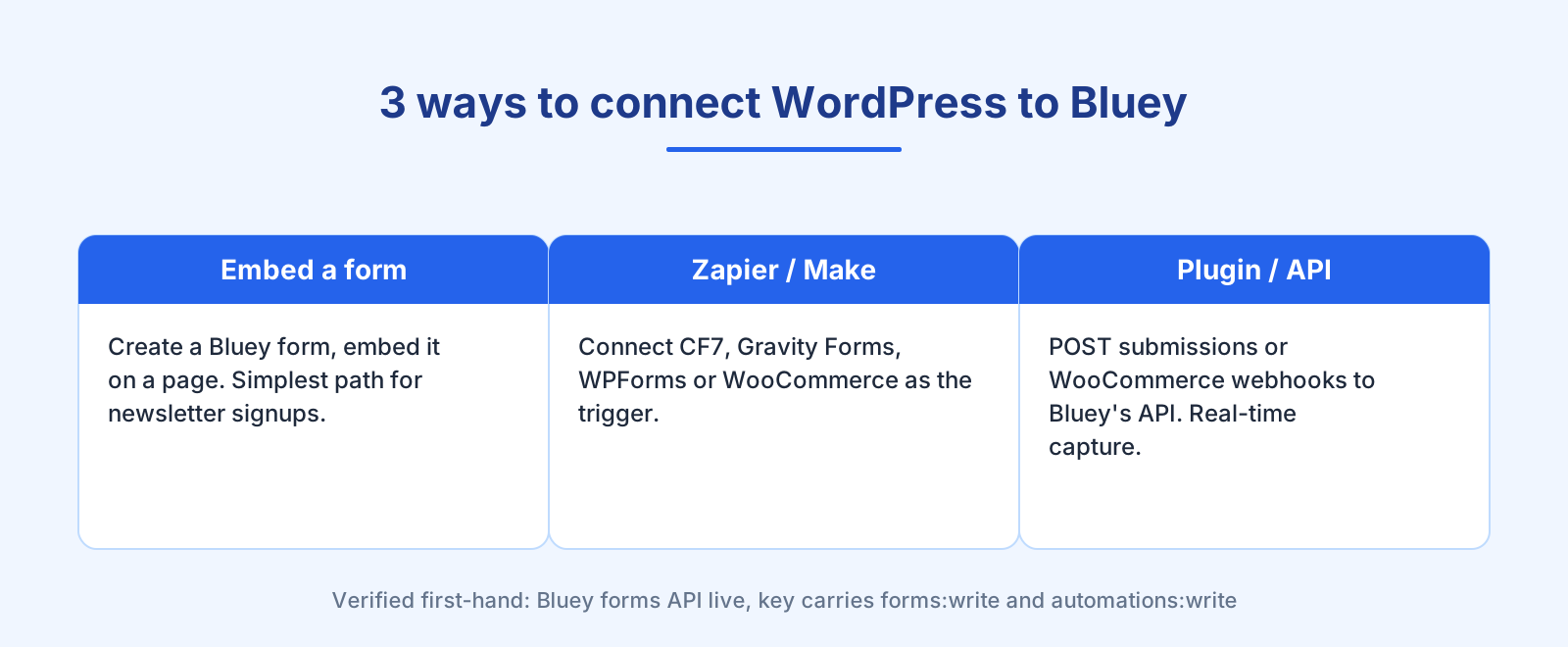
There is no official Bluey plugin in the WordPress directory at the time of writing, so the honest routes are these three, from simplest to most powerful:
- Embed a Bluey form. Create a signup or lead form in Bluey and embed it on a WordPress page or in a widget. Best for a straightforward newsletter or lead-magnet signup with no plugins to manage. Pair it with a lead magnet — see how to build an email list.
- Automation tool (Zapier or Make). Connect an existing WordPress form plugin — Contact Form 7, Gravity Forms, WPForms — or WooCommerce as the trigger, with Bluey as the action app. Best when you already collect data through a plugin and want it flowing into Bluey. See the Bluey + Zapier integration.
- Plugin/webhook → Bluey API. Have a form plugin or a small snippet POST submissions to Bluey’s API, or subscribe to WooCommerce webhooks. Best for real-time, high-volume, custom flows.
Whichever route, the pattern is the same: choose the WordPress event, decide the Bluey action, map the fields (at minimum email, ideally name and source), and test one real submission before going live. Zapier’s co-founder Wade Foster describes the no-code appeal simply — automation connects “the apps you use” and automates the workflow without engineering (Zapier).
Which Bluey + WordPress automations are worth building?
The highest-value flows turn a site visitor into a subscriber and then into a customer:
Newsletter signup → welcome. An embedded Bluey form captures the subscriber and immediately starts a welcome email series. This is the single most common and useful flow.
WooCommerce order → post-purchase. A completed order adds the customer to Bluey, tags them by product, and starts onboarding or a review request. If you run a store, the dedicated Bluey + WooCommerce integration covers this in depth.
Contact form → CRM. A Contact Form 7 or Gravity Forms lead lands in Bluey’s CRM and starts a follow-up sequence, so no enquiry sits in an inbox unactioned.
Comment or membership signup → tag. New commenters or members get tagged and can opt into relevant content.
When should you NOT build it this way?
A few honest cautions:
Use double opt-in on public forms. A form embedded on a public WordPress page will attract bots and typos. Confirm the address before subscribing — it protects your sender reputation, and it’s exactly what double opt-in is for.
Mind the polling delay. Zapier and Make often poll on a schedule, so a no-code capture can lag by minutes. For time-sensitive flows — an abandoned-cart trigger, say — use a plugin webhook straight to Bluey’s API for real-time response. Direct API for real-time, business-critical events; an automation tool for the convenient long tail. See the complete integrations guide.
Don’t skip list hygiene. Website signups are where bad addresses enter your list. Validate at capture and keep the list clean, as covered in email list cleaning.
Frequently asked questions
Does Bluey integrate with WordPress? Yes. You connect them by embedding a Bluey form on your site, using an automation tool like Zapier or Make with a WordPress form plugin, or POSTing submissions to Bluey’s API. Each adds the person to Bluey and can trigger email.
Is there a Bluey WordPress plugin? Not an official directory plugin at the time of writing. The supported routes are an embedded Bluey form, a no-code connector (Zapier/Make) on top of your existing form plugin, or a direct API/webhook integration.
Can I connect Contact Form 7 or WooCommerce to Bluey? Yes — via Zapier/Make using the plugin as the trigger, or by sending the plugin’s webhook to Bluey’s API. WooCommerce has a dedicated Bluey integration guide.
What’s the best WordPress automation to build first? Newsletter signup to a welcome series — embed a Bluey form, capture the subscriber, and trigger a welcome sequence automatically.
Do I need double opt-in on my WordPress form? On a public form, yes — it filters bots and typos and protects deliverability. Bluey supports confirmed opt-in; see the double opt-in explainer.
The verdict
Connecting WordPress to Bluey turns your site into a self-serve list-building and automation engine — newsletter signups, WooCommerce orders, and contact-form leads all flow into one account that also holds your CRM and welcome flows. Start with an embedded Bluey form for the simplest path, add a no-code connector when you already run form plugins, and move to a direct API/webhook for real-time, high-volume flows. New to connecting tools? Start with the complete integrations guide; running a store, see the Bluey + WooCommerce and Bluey + Shopify integrations.
— Shivam