
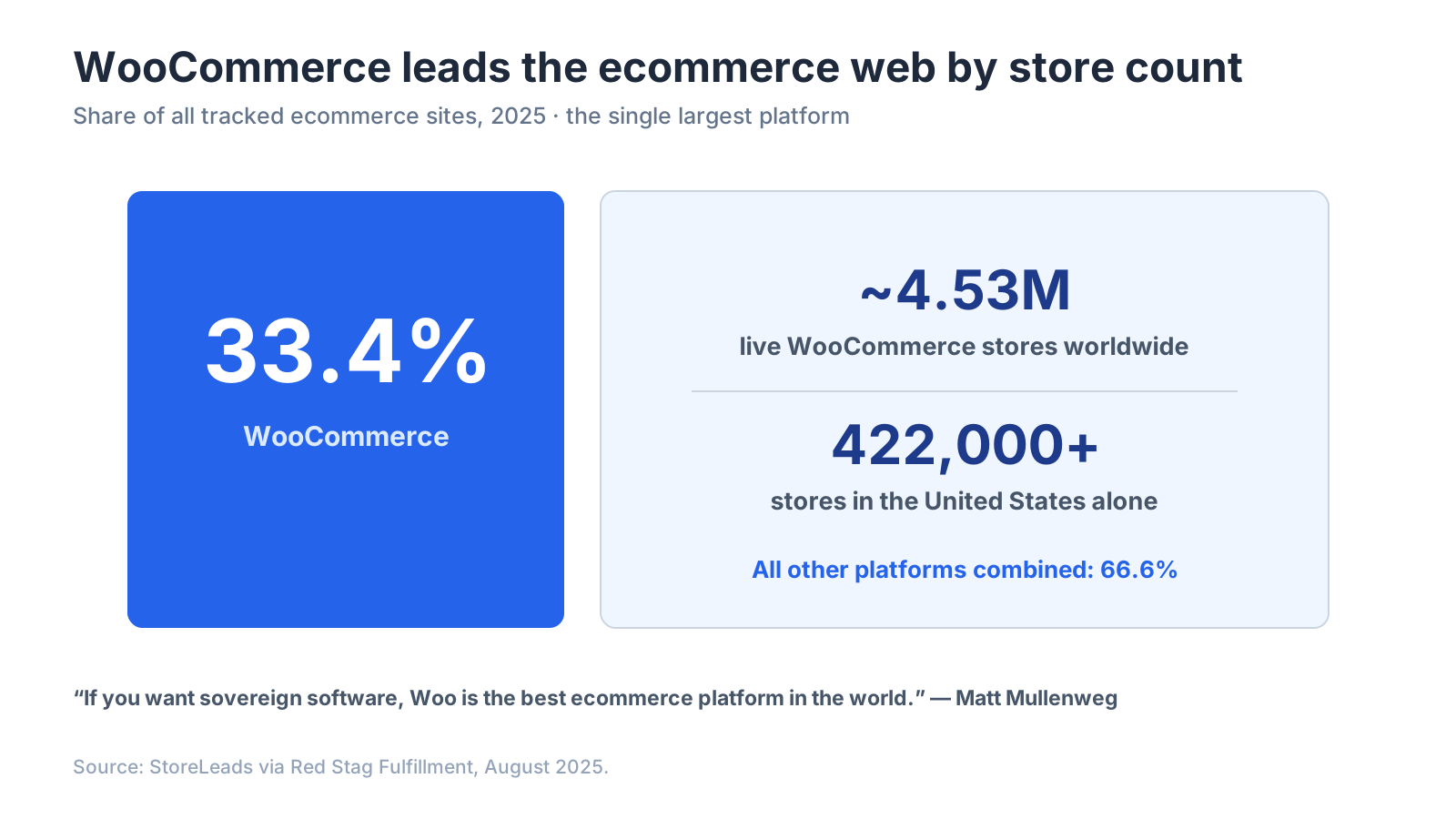
Quick answer: Connecting Bluey Email to WooCommerce syncs orders, customers, products, and cart events from your WordPress store so you can trigger revenue flows — abandoned cart, post-purchase, win-back — off real buying behavior. It matters because WooCommerce powers roughly 4.5 million live stores and about 33.4% of all tracked ecommerce sites (StoreLeads, Aug 2025), yet most of those stores under-use email automation. Full disclosure: Bluey Email is my own product; I flag plainly below where Klaviyo and Mailchimp are the better WooCommerce picks.
WooCommerce is the biggest ecommerce platform on the web by store count, and its whole appeal is control — you own your store, your data, and your stack. Your email tool should respect that. This guide covers what the Bluey + WooCommerce integration does, how to connect it on WordPress, the flows to switch on first, and where competitors win.
What does the Bluey + WooCommerce integration do?
It links your WordPress store to your email platform so shopping data flows in continuously: orders, customers, products, and events (added to cart, started checkout, order placed/completed/refunded). Bluey uses that to build behavior segments (repeat buyers, high-value customers, lapsed shoppers) and to fire automated flows the instant a shopper acts.
That behavioral trigger is where the money is. Cart abandonment runs at about 69.82% across ecommerce (Baymard Institute), so an automation that recovers even a slice of abandoned WooCommerce carts pays for the tool many times over — email returns roughly $36 for every $1 spent on average (Litmus). Without a store-to-email sync, a WooCommerce shop can only send generic newsletters; with it, every email can be triggered and targeted by real orders.
WooCommerce’s defining trait is ownership, and that shapes the integration philosophy. WordPress and WooCommerce co-founder Matt Mullenweg frames the platform’s edge as freedom: “If you want more liberty, autonomy, if you want sovereign software, Woo is the best ecommerce platform in the world to provide that” (Open Channels). The right email partner extends that ownership — your data stays exportable, never locked in.
How do I connect Bluey to WooCommerce?
Because WooCommerce lives inside WordPress, connection is plugin-based and takes minutes:
- WordPress plugin (recommended). Install the Bluey connector plugin from your WordPress dashboard, paste your Bluey API key, and authorize. It establishes real-time sync of orders, customers, products, and cart events, with a historical backfill so segments work from day one.
- Zapier / Make. Connect WooCommerce to Bluey via Zapier or Make for custom triggers or lighter needs — good for one-off automations, less suited to high-volume real-time streams.
- REST API / webhooks. WooCommerce exposes its own REST API and webhooks; wire them to Bluey’s API for fully custom flows. Maximum control, developer required.
After connecting, place a test order and confirm the customer and event appear in Bluey, map WooCommerce fields to your segments, and enable double opt-in if needed. Then turn on the flows.
Which WooCommerce flows should I turn on first?
Bluey ships pre-built versions of the core four, so you edit templates rather than build from zero:
Abandoned cart — the highest-ROI flow, triggered when a shopper starts checkout but doesn’t complete. Speed wins: send the first email within an hour. A three-email sequence (reminder, social proof, incentive) is the proven structure.
Post-purchase — order confirmation, shipping updates, cross-sell, and a review request. Repeat buyers convert far above cold traffic, so this flow compounds lifetime value.
Browse abandonment — fires when a shopper views products but never adds to cart, catching lower-intent visitors earlier.
Win-back — re-engages dormant customers, then suppresses the truly inactive to protect deliverability.
How the platforms compare for a WooCommerce store:
| Platform | WooCommerce sync | Pricing model | Best for |
|---|---|---|---|
| Bluey Email | Plugin, real-time, pre-built flows | Send-based ($30/mo unlimited contacts) | Stores wanting cart flows without a per-contact bill |
| Klaviyo | Deep official WooCommerce integration | Per active profile | Data-heavy stores wanting max segmentation |
| Mailchimp | Long-standing WooCommerce plugin | Per contact (counts unsubscribes) | Broad familiarity |
| Omnisend | Solid WooCommerce support | Per contact | SMS-plus-email on a budget |
Where do competitors beat Bluey on WooCommerce?
Honestly, in two places. Klaviyo offers the deepest segmentation, predictive analytics, and ecommerce reporting — for a large, data-mature WooCommerce store with someone to run it, that depth can justify the per-profile premium. Mailchimp has one of the longest-running WooCommerce plugins and the broadest app directory (300+ integrations), so if you value a familiar, widely-documented connector above all, it’s a reasonable pick.
Where Bluey wins is the pricing model, and for stores it’s structural. Klaviyo and Mailchimp bill on contacts stored — every customer your WooCommerce sync pulls in becomes billable, even the ones you rarely email, and Mailchimp even counts unsubscribed contacts toward your total. Bluey bills on emails sent, not contacts stored, so syncing a 50,000-customer store costs the same as syncing 500. Grow is $30/mo with unlimited contacts (about 50,000 sends); Spark starts at $7/mo (~$14 to email 10,000 contacts); a free plan (500/500) lets you test. That model also fits WooCommerce’s ownership ethos: full data export, no lock-in. For a store whose customer list dwarfs its monthly sends, it’s decisive — the reason Mailchimp alternatives stays a heavily-searched term.
Frequently asked questions
Does Bluey integrate natively with WooCommerce? Yes — via a WordPress plugin that syncs orders, customers, products, and cart events in real time, with historical backfill so segments work immediately.
Can Bluey recover abandoned WooCommerce carts? Yes. It ships a pre-built abandoned-cart flow triggered by WooCommerce’s started-checkout event; send the first email within an hour for best recovery.
Will syncing my WooCommerce store raise my bill? Not on Bluey — pricing is send-based, so 50,000 synced contacts cost the same as 500. On Klaviyo or Mailchimp, every synced contact is billable.
Can I export my data if I leave? Yes. Bluey supports full data export with no lock-in, which matches WooCommerce’s own ownership model (Open Channels).
Is Klaviyo better than Bluey for WooCommerce? For the deepest segmentation and predictive analytics on a large store, yes. For core cart/post-purchase flows without a per-contact bill, Bluey is more economical.
The verdict
WooCommerce runs about a third of the ecommerce web on a foundation of ownership and control, and the email integration that fits it is one that turns store data into automated revenue without locking you in. Choose Klaviyo for the deepest segmentation and predictive depth if you can absorb per-profile pricing; choose Mailchimp if a long-established plugin and broad directory matter most; choose Bluey Email if you want core cart, browse, and post-purchase flows out of the box on send-based pricing with full data export — so connecting your whole store is upside, not a metered cost. Turn on the abandoned-cart flow first. New here? Start with email marketing for ecommerce and the complete email marketing integrations guide; on Shopify instead? See Bluey + Shopify. Comparing tools overall? Read Best Email Marketing Software in 2026.
— Shivam