
Quick answer: You connect Salesforce to Bluey Email so a change in your CRM — a new lead, a won opportunity, a stage change — automatically updates the contact in Bluey and triggers the right email. There is no one-click native connector today; you wire them together with Salesforce webhooks/Flow, an automation tool like Zapier or Make, or Bluey’s API. Salesforce fires an event, Bluey acts on it. Full disclosure: Bluey Email is my own product, so I flag below where a direct-API approach beats a no-code one, and where Salesforce’s own Marketing Cloud may fit you better.
Salesforce is where your sales data lives; Bluey is where the customer conversation happens. Connecting them means a lead status change or a closed-won deal can drive an email, a tag, or an automation without a manual export. This guide covers what the integration does, the honest ways to set it up, the flows worth building, and when a different approach makes more sense.
What does the Bluey + Salesforce integration do?
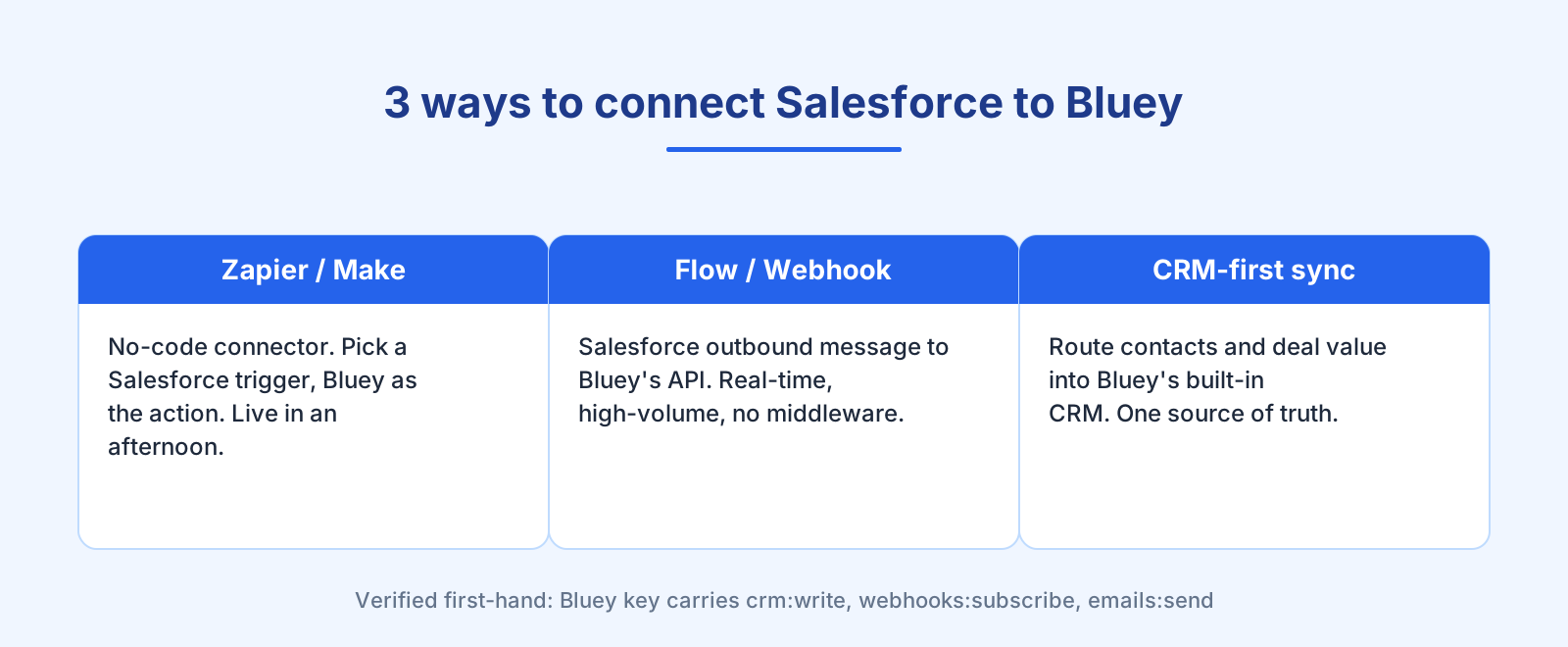
It turns Salesforce records and events into Bluey actions using a trigger → action model. When a lead is created, an opportunity moves stage, or a field changes in Salesforce, Bluey can respond by adding or updating a contact, applying a tag, moving a deal in Bluey’s built-in CRM, or starting an automation. I confirmed Bluey’s side of this first-hand: the same API key carries crm:write, webhooks:subscribe, and emails:send scopes, so CRM sync, event subscriptions, and sending all run from one account.
The point is that your sales team and your email should work from the same records. When they don’t, reps email through Salesforce while marketing emails through a separate tool, and the two contradict each other. Keeping one source of truth is the same discipline behind good list cleaning — fewer duplicates, fewer stale records, better deliverability.
How do I connect Salesforce to Bluey?
There are three honest routes, from simplest to most powerful. There is no official one-click Salesforce app for Bluey at the time of writing, so pick the route that matches your volume and how real-time you need it to be:
- Automation tool (Zapier or Make). Use a no-code connector: pick a Salesforce trigger (“New Lead,” “Updated Opportunity”), connect Bluey as the action app with your API key, and map fields (email, name, company, stage). Best for getting live in an afternoon. See the Bluey + Zapier integration.
- Salesforce Flow / outbound webhook → Bluey API. Have Salesforce send an outbound message or call a small handler that hits Bluey’s API directly. Best for real-time, high-volume, business-critical syncs where you don’t want middleware in the path.
- CRM-first sync. Route Salesforce contacts and their deal value into Bluey’s built-in CRM so lifecycle email and pipeline work off the same records.
Whichever route you take, the setup pattern is the same: choose the Salesforce event, decide the Bluey action, map the fields, and test with one real record before turning it on. Zapier’s co-founder Wade Foster frames the no-code appeal well — automation lets you “connect the apps you use and automate workflows” without engineering time (Zapier).
Which Bluey + Salesforce automations are worth building?
The highest-value flows tie a sales event to a message:
Lead handoff. When a lead is created or qualified in Salesforce, add them to Bluey, tag them by source, and start a nurture sequence. Pair it with your welcome email series.
Stage-based nurture. On opportunity stage changes, adjust which emails the contact receives — move an active deal into a different track, and stop nurturing one that’s closed.
Closed-won onboarding. When an opportunity is marked closed-won, trigger onboarding email and move the Bluey CRM deal to match. Keeps sales and lifecycle in step.
Re-engagement of cold leads. Sync stale Salesforce leads into a Bluey re-engagement campaign rather than letting them rot in the pipeline.
When should you NOT build it this way?
Honesty matters here more than the pitch:
If you’re a heavy Salesforce shop, look at Marketing Cloud first. If your whole org runs deep in Salesforce and you need native, real-time, deeply-embedded email, Salesforce’s own Marketing Cloud or Account Engagement is the tighter fit — at a much higher price and complexity. Bluey’s advantage is being simpler and cheaper for teams that want CRM-aware email without the Marketing Cloud bill.
Mind the polling delay. Zapier and Make often poll on a schedule, so a no-code sync can lag by minutes. For time-sensitive handoffs, use a Salesforce outbound message or Flow straight to Bluey’s API for real-time response. This is the same layered rule as elsewhere: direct API for real-time, business-critical events; an automation tool for the convenient long tail. See the complete integrations guide.
Keep your data clean at the boundary. A two-way sync is only as good as the records feeding it. Duplicate or invalid emails flowing from Salesforce will hurt your sending; validate at the point of entry, as covered in the deliverability guide.
Frequently asked questions
Does Bluey integrate with Salesforce? Yes, though not via a one-click native app today. You connect them with Salesforce Flow or outbound webhooks, an automation tool like Zapier or Make, or Bluey’s API. Salesforce fires an event and Bluey updates contacts, tags, moves CRM deals, or triggers email.
Is there a native Salesforce connector for Bluey? Not at the time of writing. The supported routes are a no-code tool (Zapier/Make), a direct API integration, or Salesforce Flow calling Bluey’s API. Use the direct route for real-time, high-volume syncs.
Should I use Bluey or Salesforce Marketing Cloud? If you’re a heavy Salesforce org needing deeply native email, Marketing Cloud fits — at higher cost and complexity. Bluey suits teams that want CRM-aware email, a built-in CRM, and one simpler bill.
What’s the best Salesforce automation to build first? Lead handoff — new qualified lead in Salesforce automatically enters a Bluey nurture sequence, so no lead sits untouched.
Zapier or webhooks for Salesforce? Zapier or Make is fastest to set up; a Salesforce outbound message or Flow to Bluey’s API is best for real-time, business-critical syncs where a polling delay would cost you.
The verdict
Connecting Salesforce to Bluey keeps sales and email working from the same records — lead handoff, stage-based nurture, closed-won onboarding, and re-engagement, all from one account that also holds your CRM. Use an automation tool to get live fast, and switch to Salesforce Flow or webhooks straight to Bluey’s API for the real-time, money-critical syncs. If you’re a deep Salesforce org, weigh Marketing Cloud honestly first. New to connecting tools? Start with the complete integrations guide; already running a CRM stack, see the Bluey + HubSpot and Bluey + Stripe integrations.
— Shivam