

Quick answer: Connecting Stripe to Bluey Email lets a payment event — a new subscription, a successful charge, a failed renewal — automatically update your CRM, tag the customer, and trigger the right email. You wire the two together with Stripe webhooks, an automation tool like Zapier or Make, or Bluey’s API — Stripe fires an event, Bluey acts on it. Because payment emails are opened far more than promotions, getting this flow right matters. Full disclosure: Bluey Email is my own product; I flag below where a direct-API or automation-tool approach beats the others.
Stripe is where the money happens; Bluey is where the customer relationship happens. Connecting them means every payment event can drive an email, a CRM update, or an automation — no manual export, no copy-paste. This guide covers what the integration does, how to set it up, the automations worth building, and honestly when a simpler or more direct approach is better.
What does the Bluey + Stripe integration do?
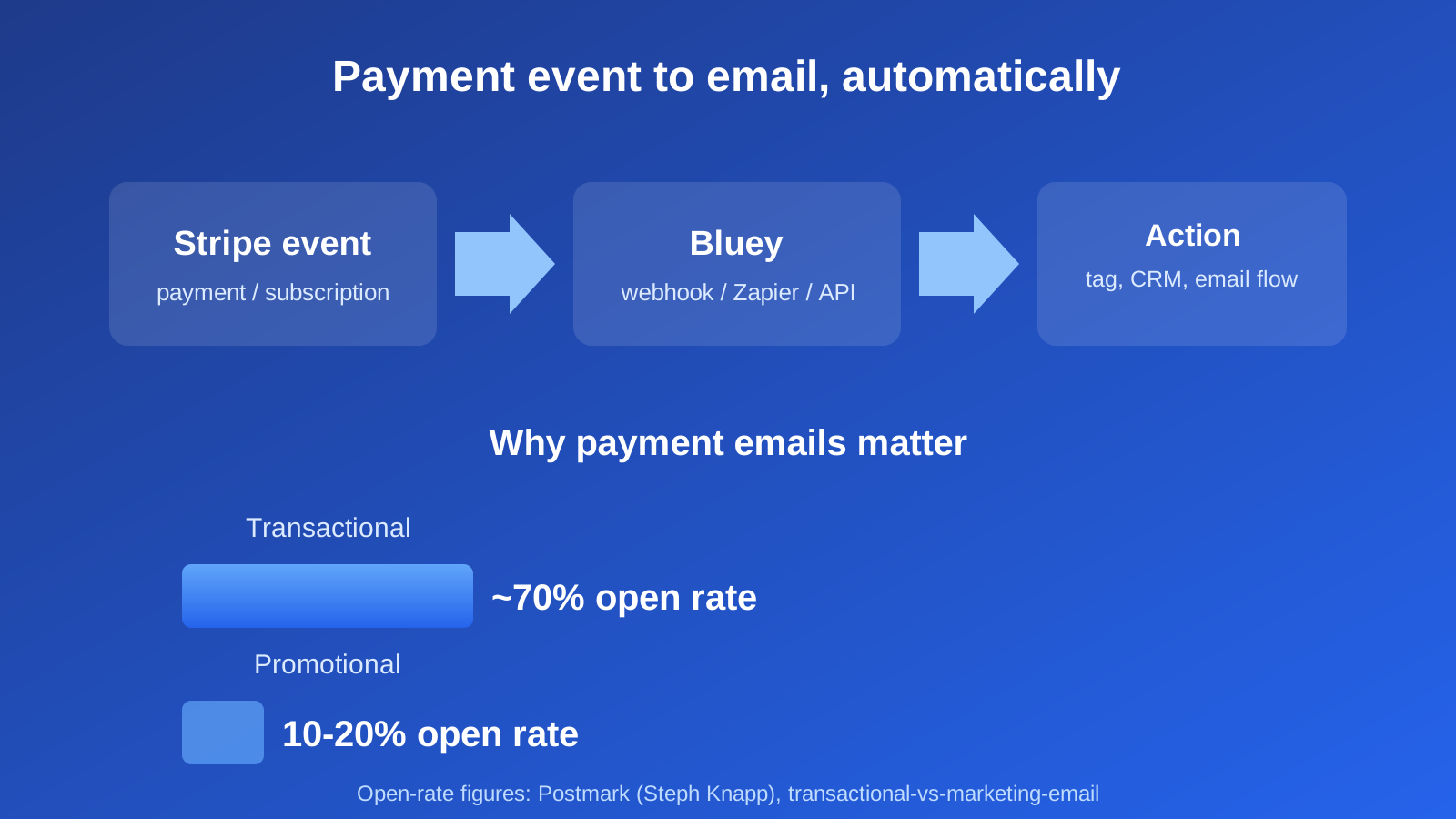
It turns Stripe events into Bluey actions using a trigger → action model. Stripe emits webhook events for almost everything that happens to a customer — `checkout.session.completed`, `invoice.paid`, `customer.subscription.created`, `invoice.payment_failed` — and Bluey can respond by adding or updating a contact, applying a tag, moving a CRM deal, or starting an automation. I confirmed Bluey’s side of this first-hand: the same API key carries `webhooks:subscribe`, `crm:write`, and `emails:send` scopes, and a transactional receipt payload validates through it, so payment-driven receipts and lifecycle emails run from one account.
The value is that payment emails are the ones people actually read. Postmark’s Steph Knapp notes the gap plainly: transactional messages like password resets see roughly 70% open rates, versus 10–20% for promotional email (Postmark). A receipt or a failed-payment notice is a high-attention moment — wiring Stripe to Bluey means you don’t waste it.
How do I connect Stripe to Bluey?
There are three ways to connect them, from simplest to most powerful:
- Automation tool (Zapier or Make). Use a no-code connector: pick a Stripe trigger (“New payment,” “New subscription”), connect Bluey as the action app with your API key, and map fields (email, name, amount, plan). Best for getting live in minutes. See the Bluey + Zapier integration.
- Stripe webhooks → Bluey API. Point a Stripe webhook endpoint at a small handler that calls Bluey’s API directly. Best for real-time, high-volume, business-critical flows where you want no middleware in the path.
- CRM-first sync. Route Stripe customers and their deal value into Bluey’s built-in CRM so sales and lifecycle email work from the same records.
Whichever route, the setup pattern is the same: choose the Stripe event, decide the Bluey action, map the fields, and test with a real (or test-mode) transaction before turning it on.
Which Bluey + Stripe automations are worth building?
The highest-value flows tie money to messaging:
Post-purchase onboarding — when `checkout.session.completed` fires, add the customer to Bluey, tag them by plan, and start a welcome or onboarding sequence. Pair it with your welcome email series.
Failed-payment (dunning) recovery — when `invoice.payment_failed` fires, trigger a polite, escalating sequence asking the customer to update their card. This is often the single highest-ROI automation, because it recovers revenue you’ve already earned.
Subscription lifecycle — on upgrade, downgrade, or cancellation events, move the CRM deal stage and adjust which emails the contact receives, so churned customers stop getting onboarding mail and start getting win-back.
Receipts and confirmations — send branded payment receipts as transactional email from the same Bluey account, keeping them consistent with your marketing.
When should you NOT build it this way?
Honesty matters here. A few cautions:
Don’t route Stripe’s own required receipts through a fragile chain. Stripe can send its own built-in email receipts reliably. Only take over receipts in Bluey if you specifically want them branded and unified — and if you do, use the direct API or webhooks, not a polling connector that can lag.
Mind the polling delay. Zapier and Make often poll on a schedule, so a Zapier-driven dunning email can fire minutes late. For time-sensitive money flows, use Stripe webhooks straight to Bluey’s API for real-time response. This is the same layered rule as elsewhere: native or direct API for real-time, business-critical events; an automation tool for the convenient long tail. See the complete integrations guide.
Keep transactional and marketing streams honest. A payment receipt and a promotional newsletter are different kinds of mail; sending them thoughtfully protects deliverability. Our transactional email guide covers how to separate them properly.
Frequently asked questions
Does Bluey integrate with Stripe? Yes — you connect them via Stripe webhooks, an automation tool like Zapier or Make, or Bluey’s API. Stripe fires payment events and Bluey responds by updating contacts, tagging, moving CRM deals, or triggering emails.
Can I send Stripe payment receipts through Bluey? Yes, as transactional email from the same Bluey account. Stripe can also send its own receipts; use Bluey’s if you want them branded and unified with your other email.
What’s the best Stripe automation to build first? Failed-payment (dunning) recovery — it recovers revenue you’ve already earned and usually pays for itself immediately.
Should I use Zapier or webhooks for Stripe? Zapier (or Make) is fastest to set up; direct Stripe webhooks to Bluey’s API are best for real-time, high-volume, business-critical flows where a polling delay would cost you.
Why send payment emails at all? Because they’re read: transactional messages see ~70% open rates versus 10–20% for promotions (Postmark), making them a high-attention moment you don’t want to waste.
The verdict
Connecting Stripe to Bluey turns every payment event into an opportunity — onboarding, dunning recovery, lifecycle updates, and branded receipts — from one account that also holds your CRM and marketing. Use an automation tool to get live fast, and switch to direct Stripe webhooks for the money-critical, real-time flows. New to connecting tools? Start with the complete integrations guide; already using stores, see the Bluey + WooCommerce and Bluey + Shopify integrations.
— Shivam