
Quick answer: Preview text (also called the preheader) is the snippet of text shown next to or below the subject line in the inbox. It is prime real estate for winning the open. Keep the essentials in the first 40–50 characters so they show on mobile, and write it as an extension of your subject line rather than a repeat (Campaign Monitor).
Your subject line gets all the attention, but the line of text right next to it is quietly doing half the work of getting your email opened — and most senders either ignore it or waste it on “View this email in your browser.” Here is how to use preview text properly.
Disclosure: Bluey Email, mentioned near the end, is my own product; the advice here applies to any sender on any platform.
What is email preview text?
Preview text, or the preheader, is — in Campaign Monitor’s words — “the summary text that follows the subject line when an email is viewed in the inbox. Many mobile, desktop, and web email clients provide them to tip you off on what the email contains before you open it.” If you don’t set it deliberately, the email client simply pulls the first words from the top of your email — which is how so many inboxes end up showing hidden alt text or a bare “Can’t see this email?” link. Along with the subject line and sender name, it is one of only three things a recipient sees before deciding to open.
How long should preview text be?
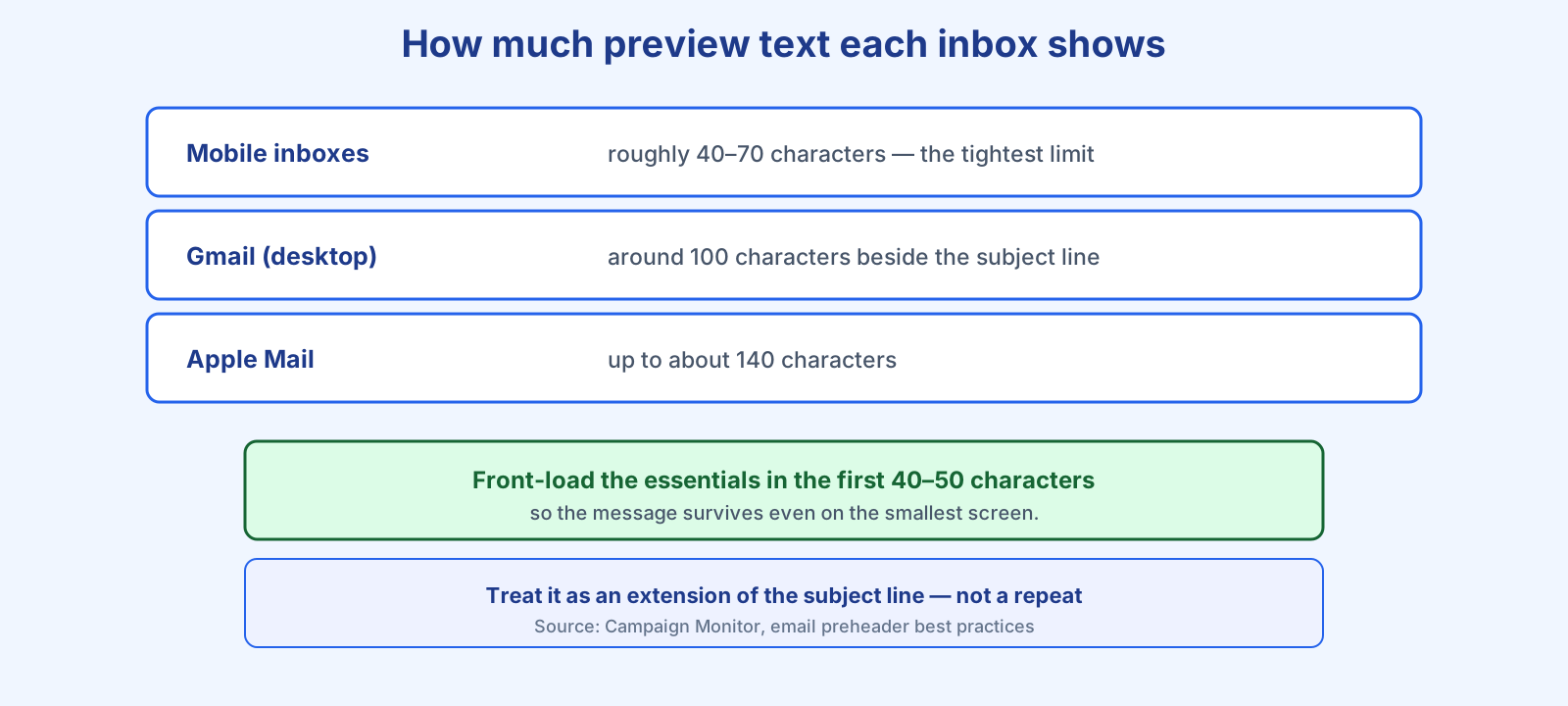
It depends on the inbox, which is exactly why length matters. Campaign Monitor notes that “on average, a solid preheader is between 85 and 100 characters,” but different clients reveal different amounts: mobile clients often show only 40–70 characters, Gmail on desktop shows roughly 100 alongside the subject, and Apple Mail can display up to about 140. Their practical recommendation is to keep the crucial part to around 40–50 characters, which “should give you a good amount of room to say something meaningful and compelling, while still ensuring it gets shown in full on most devices.” The rule that reconciles all this: front-load. Put the most important words first so the message survives being cut off.
Best practices for preview text
Campaign Monitor highlights two rules above the rest: “Use the preheader as an extension of your subject line” and “Always include a call to action.” The first means the two lines should tell one cohesive story rather than repeat each other — the subject hooks, the preview extends. The second is simple and effective: sometimes just telling people what to do next lifts opens. Beyond those:
- Don’t repeat the subject line. Duplicating it wastes the space; add detail, a benefit, or curiosity instead.
- Front-load the value. Assume it will be truncated to ~40 characters on mobile and write accordingly.
- Avoid default filler. Never let “View in browser” or hidden code become your preview.
- Match the promise. The preview should reflect the email’s content, or you invite spam complaints when it misleads.
There is a persuasion point worth remembering, too. Citing an Adestra subject-line report, Campaign Monitor notes that a line in the inbox works “whether or not your email gets opened” — “it creates a psychological association between your subject line and your brand.” The same is true of preview text: even unopened, it is building your brand in the inbox.
Where preview text fits in your emails
Preview text is the partner of the subject line, so treat the two as a unit and test them together — our subject-line formulas pair naturally with a strong preheader, and both are prime candidates for A/B testing. Because preview text influences opens, it also shapes the metrics you track, and it is worth getting right from your very first welcome emails. Practically every email platform, Bluey Email included, gives you a dedicated preview-text field when you build a campaign — so there is no excuse to leave it to chance. Fill it in, front-load it, and make it earn the open.
Frequently asked questions
What is the ideal preview text length? Aim to land the key message in the first 40–50 characters so it shows on mobile, while writing up to around 85–100 characters total for clients that display more.
What happens if I don’t set preview text? The email client pulls the first text it finds in your email — often a “view in browser” link or hidden code — which wastes the space and can hurt your open rate.
Should preview text repeat the subject line? No. Use it as an extension of the subject line, adding detail or a call to action so the two work together rather than saying the same thing twice.
Is preview text the same as the preheader? Yes. “Preview text” and “preheader” refer to the same snippet shown near the subject line in the inbox.
References
- Campaign Monitor — Write Better Preheader Text With These Email Preheader Best Practices: https://www.campaignmonitor.com/blog/email-marketing/improve-email-open-rates-with-preheader-text/
— Shivam