
Quick answer: Your sender reputation is a score mailbox providers assign to your sending IP address and domain that largely decides whether your email lands in the inbox, the spam folder, or nowhere. It is built from recipient engagement, spam complaints, spam-trap hits, bounce rates and consistent sending volume. As Spamhaus puts it, “You can’t buy a good reputation; you must earn it” (Spamhaus).
You can write the perfect email and still never be seen — because before a recipient ever reads a word, mailbox providers like Gmail and Outlook judge you, the sender. That judgement is your sender reputation, and it is the single biggest factor in whether your campaigns reach the inbox. Here is how it works and how to protect it.
Disclosure: Bluey Email, mentioned near the end, is my own product. The guidance here is platform-agnostic and applies whatever tool you send with.
What is sender reputation?
Sender reputation is a trust score that inbox providers and anti-spam services calculate for your sending infrastructure. Spamhaus, one of the oldest reputation authorities, describes it plainly: “Whether it’s personal, business or email, reputation must be earned.” Reputation systems became the default method of spam filtering around 2010, and they are deliberately agnostic — as Spamhaus notes, they “do not care about business models,” but they “do care about end-user engagement” and “do care whether or not mail is authenticated correctly.” In other words, the filter does not care who you are; it cares how people react to your mail and whether you have proven you sent it.
IP reputation vs domain reputation
Reputation attaches to two things: your sending IP address and your sending domain. For years IP reputation dominated, but that has shifted. Per Spamhaus, “IP reputation is less important than the reputation of domains and content for inbox placement.” One reason is the sheer scale of IPv6, which offers over 340 undecillion addresses — so many that, as Spamhaus observes, “cybercriminals can afford to burn IPs like paper (and they do),” making IP-only filtering unreliable. The practical takeaway: your domain’s reputation now follows you even if you change sending IPs, so it is the asset to protect. Authenticating that domain with SPF, DKIM and DMARC is the foundation.
What affects your sender reputation?
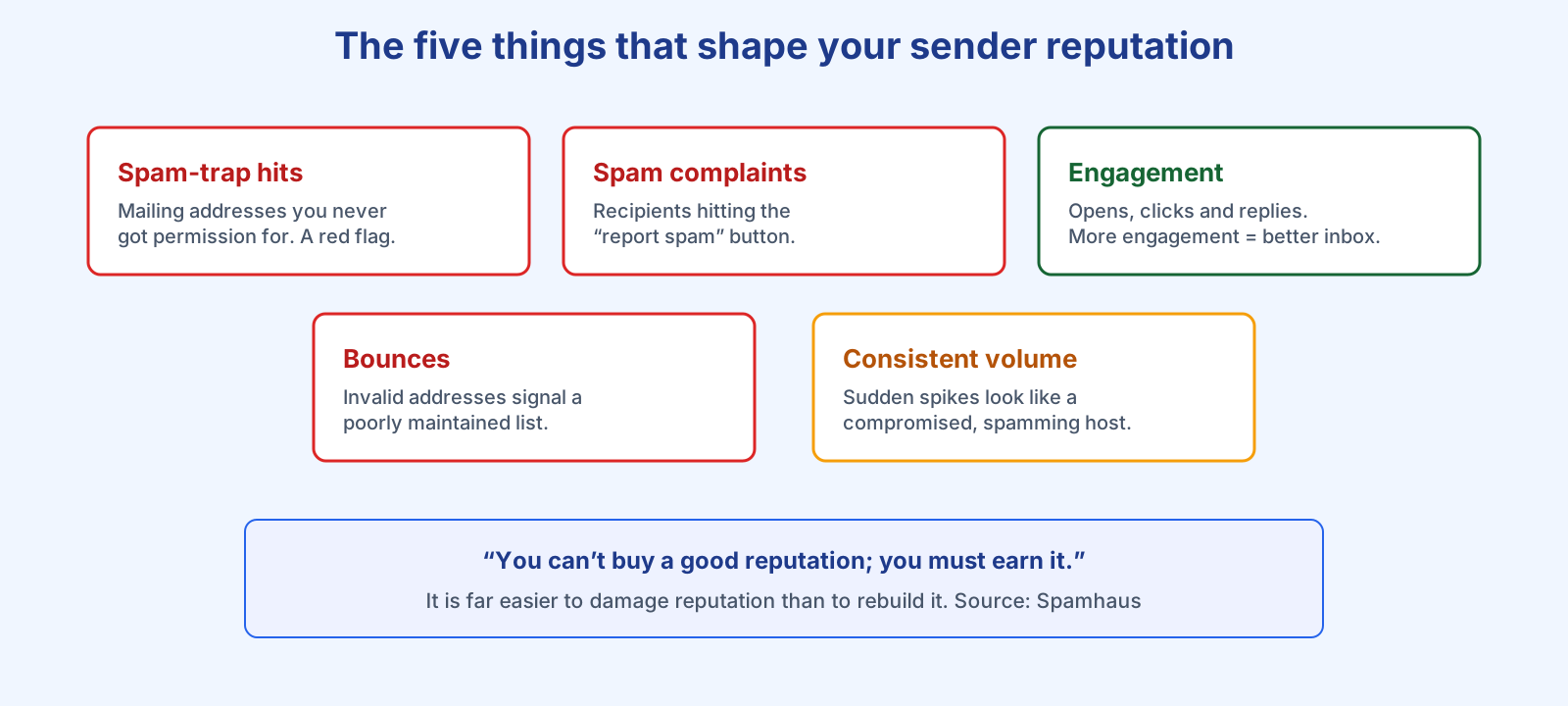
Providers never publish the exact formula, but Spamhaus lists the components you can actually manage. These five do most of the work:
| Factor | Effect on reputation |
|---|---|
| Spam-trap hits | Hitting addresses you never got permission to mail is a serious red flag of poor list hygiene. |
| Complaint volume | Every “report spam” click hurts. Keeping complaints low is a core goal. |
| Engagement | Opens, clicks and replies lift reputation; ignored mail drags it down. |
| Bounces / invalid addresses | High bounce rates signal a stale, poorly maintained list. |
| Consistent volume | “Bursty” spikes look like an infected host and degrade even an established reputation. |
Engagement is now the centre of gravity. Spamhaus is blunt about the payoff: “the more engagement an email receives, the better deliverability gets, and this has a positive knock-on effect on a sender’s ROI.” That is why the old “batch and blast” approach backfires — sending to people who never open trains the filter to distrust you. Our guides to spam traps, bounce rate and list cleaning each dig into one of these factors.
How do you build and protect it?
Reputation is set early. As Spamhaus warns, “Reputation is established during the IP or domain warmup/ramp-up phase” — it is “very much like going on a first date: first impressions matter a great deal and linger for a long time.” So start slow, mailing your most engaged recipients first and raising volume gradually; our domain warm-up guide covers the ramp. Then keep it healthy: authenticate your domain, only mail people who opted in, remove bounces and inactive addresses, and hold a steady cadence. Google’s own sender guidelines reinforce this — bulk senders must authenticate, keep spam complaints below 0.3%, and avoid sudden volume jumps.
The hardest rule to internalise is asymmetry. Spamhaus again: “It is much, much easier to drive reputation down than it is to fix a damaged one — this behavior was created by design, and there is no override!” Prevention beats repair every time.
A good platform handles the mechanics for you. Checking Bluey Email’s own sending domains for this article, all five are verified with SPF, DKIM and DMARC passing, DMARC set to p=quarantine and 2048-bit DKIM keys — the authentication baseline reputation depends on, configured by the platform rather than by hand-edited DNS. Whatever tool you use, get that baseline right, then let engagement do the rest. For the full picture, see our deliverability guide and deliverability audit.
Frequently asked questions
How do I check my sender reputation? Free tools such as Google Postmaster Tools (for Gmail) and Spamhaus’s reputation checker show how providers see your domain and IP. Your own bounce, complaint and engagement rates are the earliest warning signs.
Is IP or domain reputation more important? Domain reputation. Spamhaus notes IP reputation has fallen behind domain and content reputation for inbox placement, and your domain reputation follows you even if your IP changes.
How long does it take to fix a bad reputation? Longer than it took to damage it — by design. Recovery means consistently sending authenticated, wanted mail to engaged recipients over weeks, not days.
Does buying an email list hurt my reputation? Badly. Purchased lists are full of spam traps and uninterested recipients, driving complaints and bounces up and reputation down. Always collect subscribers with permission.
References
- The Spamhaus Project — How does email reputation work?: https://www.spamhaus.org/resource-hub/deliverability/how-does-email-reputation-work/
- Google — Email sender guidelines: https://support.google.com/a/answer/81126
— Shivam