
Quick answer: Mailchimp is the most familiar brand with the largest app ecosystem, so it is an easy on-ramp for beginners. But its per-contact pricing counts every contact you store — including unsubscribed and non-opted-in ones — so the bill climbs fast as your list grows. Bluey Email charges by emails sent, so storing contacts is free and cost stays predictable. Emailing 10,000 contacts once a month is about $135 on Mailchimp (Standard) versus ~$14 on Bluey. Full disclosure: Bluey is my own product — reviewed on the same criteria as Mailchimp, and I will say plainly where Mailchimp is the better pick.
Mailchimp practically defined small-business email. But in 2026 the question is value, not familiarity — and that comes down to how each platform bills you.
The 30-second verdict
- Choose Mailchimp if you want the most recognizable brand, the widest integration library (300+), and a beginner-friendly on-ramp — and your list is small or you do not mind the per-contact bill.
- Choose Bluey if you want predictable, all-inclusive pricing that does not climb with list size, a built-in CRM, marketing + transactional email on one bill, and every feature on every plan.
Pricing: per send vs per contact (and Mailchimp counts unsubscribes)
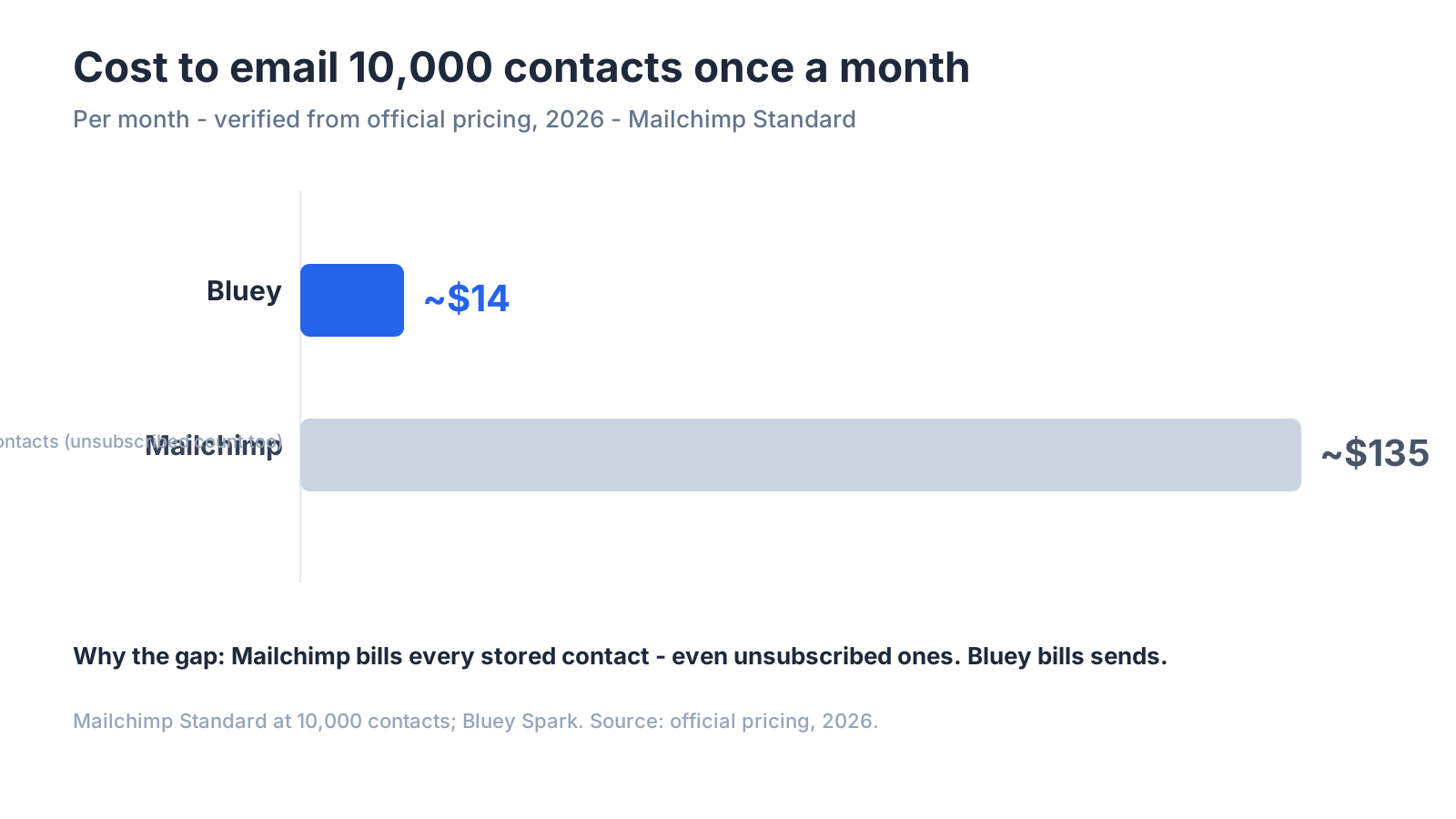
The decisive difference: Mailchimp bills by the number of contacts you store — regardless of whether they are subscribed. As EmailTooltester notes, you will also be charged for contacts who are unsubscribed, inactive, or have not opted-in yet. So a 10,000-contact list that is 30% dead still bills at the 10,000 tier. Mailchimp also enforces monthly send limits, with overage charges added automatically if you exceed them.
| Contacts | Mailchimp Standard /mo |
|---|---|
| 500 | $20 |
| 10,000 | $135 |
| 50,000 | $450 |
Bluey bills by send: Free (500/500), Spark from $7/mo (~$14 at 10,000 sends), Grow $30/mo (unlimited contacts, ~50,000 sends), Business $300/mo. So emailing 10,000 contacts once a month is about $135 on Mailchimp vs ~$14 on Bluey — and Bluey never charges you for a contact who unsubscribed years ago.
Where Mailchimp genuinely wins (said honestly)
- Brand familiarity + ecosystem — the largest integration library in the category (300+ apps) and the most tutorials, agencies, and templates.
- Beginner on-ramp — a well-known, approachable starting point many businesses use first.
- Breadth of tooling — websites, ads, and a CRM-lite bundled in.
If you value the biggest ecosystem and do not mind per-contact pricing, Mailchimp is a reasonable default. See the best email marketing software of 2026 for the full field.
Where Bluey wins
- You do not pay for dead contacts — send-based pricing ignores stored, unsubscribed, and inactive contacts.
- Predictable cost at scale — no tier jumps as the list grows, no send-limit overage surprises.
- All features on every plan — automations are not gated to higher tiers (Mailchimp limits them on lower plans).
- Marketing + transactional on one bill, plus a real built-in CRM.
Feature comparison at a glance
| Feature | Bluey Email | Mailchimp |
|---|---|---|
| Pricing model | Per send (unlimited contacts) | Per contact (counts unsubscribed) |
| Free plan | Yes | Yes (limited) |
| Built-in CRM | Yes | Basic |
| Automations | All plans | Limited on lower tiers |
| Integrations | Growing | Largest (300+) |
| Send-limit overage charges | No | Yes |
| Marketing + transactional, one bill | Yes | No |
What reviewers actually say
The value concern is well documented. In EmailTooltester Mailchimp review, email specialist Inka Wibowo — who says Mailchimp is the tool she knows best — concludes bluntly: “Mailchimp is actually one of the most expensive newsletter tools out there for small-to-medium businesses.” (EmailTooltester) The recurring reasons marketers leave: cost that scales poorly with growth, being charged for unsubscribed contacts, and support complaints. If that is you, see Mailchimp alternatives.
How to choose
- How clean and active is your list? If a big chunk is inactive, Mailchimp per-contact model (which bills them anyway) is expensive; send-based pricing ignores them.
- Do you need the biggest integration library? That is Mailchimp edge.
- Do you send in seasonal spikes? Watch Mailchimp send-limit overage charges.
- Model your bill at 12 months as your contact count grows.
Frequently asked questions
Is Bluey cheaper than Mailchimp? For most lists, yes — especially larger or partly-inactive ones. Emailing 10,000 contacts monthly is ~$14 on Bluey vs ~$135 on Mailchimp, because Mailchimp bills stored (even unsubscribed) contacts while Bluey bills sends.
Does Mailchimp really charge for unsubscribed contacts? Yes — its pricing counts contacts regardless of subscription status, so unsubscribed and non-opted-in contacts still take up paid slots.
Is Mailchimp better for beginners? It has the most familiar interface and the largest ecosystem, which many beginners like. Bluey is also beginner-friendly but wins on cost predictability.
Can I migrate from Mailchimp to Bluey? Yes — export your audience and templates and rebuild your core automations; the main gain is a cheaper, more predictable bill.
The verdict
Mailchimp is a fine, familiar starting point with an unmatched ecosystem. But once your list grows — or once you notice you are paying for contacts who unsubscribed long ago — the value case tilts hard toward send-based pricing. That is why Bluey Email bills by what you send, not what you store. New here? Start with the complete email marketing guide; comparing the field? See Best Email Marketing Software in 2026 and Bluey Email vs Klaviyo.
— Shivam
What it actually costs: Mailchimp pricing explained.
Ready to switch? how to migrate from Mailchimp — step by step, without wrecking your deliverability.
1 thought on “Bluey Email vs Mailchimp (2026): Which Is Better Value?”